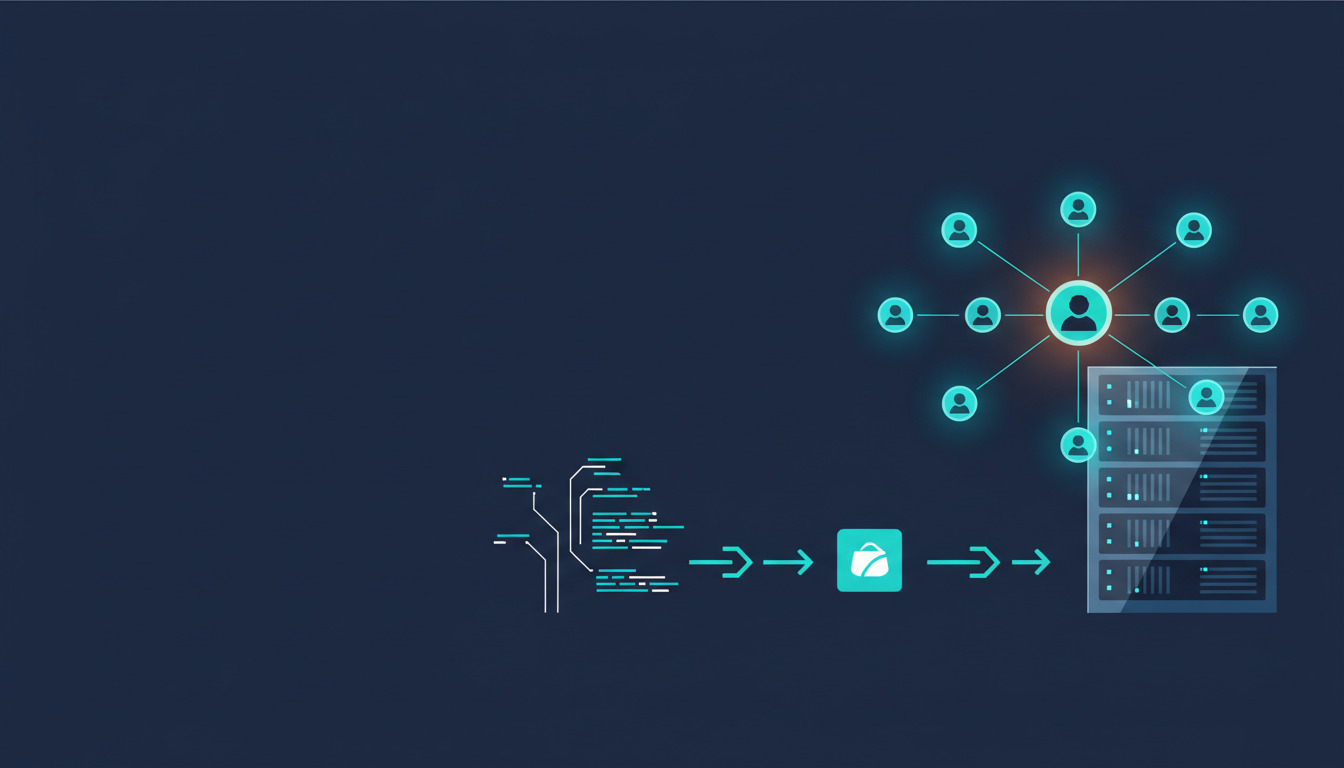
Paperclip is an open-source control plane for AI agents — think org charts, budgets, ticketing, and governance for the small army of Claude Code, Codex, Cursor, and bash agents you have running at any given moment. It is MIT-licensed, written in TypeScript, and designed to be self-hosted. The official quickstart will get you a container running on your laptop in five minutes. Production is a different story.
This guide takes you from I have a VPS and a domain
to Paperclip is running at `paperclip.mydomain.com`, behind authentication, with automatic updates whenever I push to my fork.
We will skip the what is Paperclip
essay (their site does that better) and focus on the part that nobody else writes about: the continuous deployment loop that keeps a self-hosted instance current without weekly SSH sessions. If Paperclip is the first agent platform you are putting on a server, our walkthrough on how to deploy your first AI agent to a VPS with Docker covers the container fundamentals this guide builds on.
Why Docker, not bare metal
Paperclip is a Node 22 LTS application packaged as a pnpm monorepo with native dependencies (ripgrep, Python 3, the Claude and Codex CLIs, and an embedded PostgreSQL option). The repository ships an official Dockerfile, two docker-compose files, an ECS task definition, and a Podman Quadlet config. There is no documented bare-metal install path because nobody runs it that way.
Docker also lines up with how DeployHQ handles container builds. The same pipeline that builds your image can push it to a registry and trigger a docker compose pull on your VPS — no manual SSH, no version drift, no what was running on the box again?
If you have already followed our continuous deployment workflow for self-hosting n8n on a VPS, the playbook here will feel familiar — same fork-build-deploy loop, different application. The same template also covers self-hosting Immich on a VPS with Docker and self-hosting Vaultwarden on a VPS if you are standing up a wider open-source stack.
For the Docker commands and Compose patterns this guide assumes — multi-stage builds, registry auth, healthchecks, log capping — see our Docker cheatsheet.
Why fork (and why this guide is different)
Most Paperclip install guides — Hostinger's, Contabo's, the official quickstart — point you at the public Docker image and call it done. That is fine for kicking the tires. It falls apart the moment you need to do anything serious. Forking the repository gives you three things the public image cannot:
- Patch Paperclip itself. You hit a rough edge in the current release and you cannot wait for upstream. With your own fork, you fix it locally, push, and the VPS is running the patched image in minutes. No fork means you are stuck on whatever shipped.
- Add custom adapters. Paperclip ships adapters for Claude, Codex, Cursor, OpenCode, Gemini, and Pi out of the box. Want one for Mistral, Groq, an internal gateway, or a local Ollama instance? Drop a new package under
packages/adapters/in your fork and the build pipeline picks it up automatically. The public image will never have your adapter. - Pin to a known-good revision. Production runs on the commit you tested, not on whatever
:latesthappened to be when the VPS last pulled. Upgrading becomes a conscious act — merge upstream into your fork, test on staging, promote. The pipeline becomes a controlled gate between Paperclip releases and your production environment.
To make this concrete, meet Maya, a solo founder running a four-agent content business on Paperclip. We will follow her through the setup. By the end she has added a custom Codestral adapter (Mistral's coding model, not officially supported), pinned production to a known commit, and merged an upstream release without manual SSH.
Prerequisites
- A VPS with at least 2 vCPU, 4 GB RAM, and 50 GB SSD (Paperclip's documented minimum)
- A domain or subdomain with DNS pointing to the VPS
- A GitHub account with permission to create a repository and a personal access token
- A DeployHQ account (free trial works)
- Docker Engine and the Compose plugin on the VPS
- An Anthropic or OpenAI API key (Paperclip needs at least one to actually run agents)
Install Docker on a fresh Ubuntu VPS with the official convenience script:
curl -fsSL https://get.docker.com | sudo sh
sudo usermod -aG docker $USER
Log out and back in for the group change to apply.
Step 1: Fork Paperclip and prep your repo
Maya forks paperclipai/paperclip on GitHub and clones her fork locally. She does not commit to master yet — that branch tracks upstream. Instead, she creates a production branch that holds her customizations and the deployment compose file.
git clone git@github.com:maya/paperclip.git
cd paperclip
git remote add upstream https://github.com/paperclipai/paperclip.git
git checkout -b production
She copies docker/docker-compose.yml (the full-stack one with Postgres) to the repository root as docker-compose.production.yml and trims it to pull a pre-built image instead of building locally:
# docker-compose.production.yml
services:
  paperclip:
    image: ghcr.io/maya/paperclip:latest
    pull_policy: always
    restart: unless-stopped
    ports:
      - "127.0.0.1:3100:3100"
    environment:
      HOST: "0.0.0.0"
      PAPERCLIP_HOME: /paperclip
      PAPERCLIP_DEPLOYMENT_MODE: authenticated
      PAPERCLIP_DEPLOYMENT_EXPOSURE: public
      PAPERCLIP_PUBLIC_URL: ${PAPERCLIP_PUBLIC_URL}
      BETTER_AUTH_SECRET: ${BETTER_AUTH_SECRET}
      DATABASE_URL: postgres://paperclip:${POSTGRES_PASSWORD}@db:5432/paperclip
      ANTHROPIC_API_KEY: ${ANTHROPIC_API_KEY}
      OPENAI_API_KEY: ${OPENAI_API_KEY}
    volumes:
      - paperclip-data:/paperclip
    depends_on:
      db:
        condition: service_healthy

  db:
    image: postgres:17-alpine
    restart: unless-stopped
    environment:
      POSTGRES_USER: paperclip
      POSTGRES_DB: paperclip
      POSTGRES_PASSWORD: ${POSTGRES_PASSWORD}
    volumes:
      - pgdata:/var/lib/postgresql/data
    healthcheck:
      test: ["CMD-SHELL", "pg_isready -U paperclip"]
      interval: 5s
      timeout: 5s
      retries: 10

volumes:
  paperclip-data:
  pgdata:
Two details worth flagging. First, port 3100 binds to 127.0.0.1, not 0.0.0.0 — Caddy on the same host will proxy inbound HTTPS to it, and the application port should not be reachable from the public internet directly. Second, no secrets in this file. They live in a .env on the VPS that DeployHQ writes during deploy. Maya commits an .env.production.example so future-her remembers which variables are required, then commits and pushes:
git add docker-compose.production.yml .env.production.example
git commit -m "Add production compose file and env example"
git push -u origin production
Step 2: Set up the DeployHQ Docker Build Server
This is where the Docker Build Server does the heavy lifting. In DeployHQ:
- Create a new project pointing at Maya's
paperclipfork. - Add a server, choose Docker Build as the type.
- Set the Dockerfile path to
Dockerfile(the repo root) and the build target toproduction. - Set the registry to GitHub Container Registry (
ghcr.io) and authenticate with a personal access token that haswrite:packagesscope. - Tag the image as
ghcr.io/maya/paperclip:${COMMIT}andghcr.io/maya/paperclip:latest. The commit SHA tag gives you immutable revision pinning;:latestis what the VPS pulls.
The first build will take a few minutes — Paperclip's image installs the Claude and Codex CLIs, plus the agent toolchain (git, gh, ripgrep, Python). Subsequent builds reuse layers and finish in roughly a minute. Once the build completes, check that the image landed in ghcr.io/maya/paperclip under your GitHub packages.
If you have not used Docker build environments for deployment before, the short version is that DeployHQ runs the build in a clean container, captures the resulting image, and pushes it to your registry of choice. You write the Dockerfile (Paperclip already has one), DeployHQ runs the pipeline.
Step 3: Configure the VPS deployment
The VPS deployment is a separate DeployHQ deployment that runs after the build succeeds. Add the VPS as an SSH server in the same project. Two things get uploaded to the box:
docker-compose.production.yml— the file from Maya'sproductionbranch.- A
Caddyfile— covered in the next section.
Notice what is not uploaded: source code, node_modules, anything else. The image is in the registry, the VPS just needs to know how to run it.
For the .env file, do not commit it. Use DeployHQ config files to inject secrets at deploy time. Define BETTER_AUTH_SECRET, POSTGRES_PASSWORD, PAPERCLIP_PUBLIC_URL, ANTHROPIC_API_KEY, and OPENAI_API_KEY as project-level config variables, render them into a .env file as part of the deployment, and upload that to the VPS alongside the compose file.
The post-deploy SSH command is two lines:
docker compose -f /opt/paperclip/docker-compose.production.yml --env-file /opt/paperclip/.env pull
docker compose -f /opt/paperclip/docker-compose.production.yml --env-file /opt/paperclip/.env up -d
pull fetches the new image from GHCR, up -d recreates the container with the new image and leaves Postgres untouched. Compose handles the rolling restart.
Step 4: Reverse proxy and TLS
Paperclip's authenticated + public mode needs a real TLS certificate — Better Auth (its auth library) rejects callbacks over plain HTTP. Caddy is the easiest way to get one, and it is the same pattern we documented in the Keycloak production setup with Caddy.
A minimal Caddyfile:
paperclip.mydomain.com {
    reverse_proxy 127.0.0.1:3100
    encode gzip
    log {
        output file /var/log/caddy/paperclip.log
    }
}
That is the whole config. Caddy fetches a Let's Encrypt cert on first request, renews it automatically, and terminates TLS in front of Paperclip. If you also want LAN or Tailscale access in addition to the public hostname, set PAPERCLIP_ALLOWED_HOSTNAMES in .env with the additional hostnames.
Step 5: First-run onboarding
Trigger the first deployment from DeployHQ. Once the build succeeds and the SSH commands have run, visit https://paperclip.mydomain.com. Paperclip will print a one-time board-claim URL to the container logs:
ssh maya@vps "docker logs paperclip 2>&1 | grep board-claim"
Click the URL, sign in, and claim board ownership. Paperclip now belongs to you, not to the default local-board placeholder. Create your first company, add your API keys through the UI (or set them via env vars), hire your first agent, and assign a goal.
If agents do not run their first task, the most common cause is missing API keys. Paperclip's doctor command catches this:
docker exec -it paperclip pnpm paperclipai doctor
Step 6: The continuous deployment loop
This is the part the other guides skip, and it is the reason for the whole setup.
When Paperclip ships a new release upstream, Maya runs:
git checkout production
git fetch upstream
git merge upstream/master
git push origin production
DeployHQ sees the push, kicks off a Docker build, pushes the new image to GHCR, and triggers the SSH deploy. The VPS pulls the new image and restarts the container. Total time: roughly three minutes. No SSH, no manual docker pull, no wait, which version is in production again?
The same loop handles Maya's own changes. When she adds a Codestral adapter at packages/adapters/codestral-local/, she commits to her production branch, pushes, and the pipeline does the rest. Her custom adapter ships alongside the core image.
For rollbacks, the immutable commit SHA tag is the lever. Trigger a manual deployment in DeployHQ with IMAGE_TAG=ghcr.io/maya/paperclip:abc123 (the commit you want to revert to) and the VPS pulls that exact image. The same approach worked when we built and deployed PageSpeed with Docker — the SHA-tagged image is your time machine.
If you want to be paranoid about upstream surprises, run a second VPS as staging. Same pipeline, different SSH server, different domain. Push to staging first, verify, fast-forward production to the same commit. Two-stage promotion, zero extra tooling.
Operational concerns
A few things worth setting up before you forget about the box for six months:
- Backups. The two volumes that matter are
paperclip-data(uploaded assets, secrets key, agent workspace data) andpgdata(the Postgres database). A nightlyresticbackup or your VPS provider's volume snapshot is enough for a single-tenant deployment. - Monitoring. Paperclip emits structured logs to stdout — pipe them to your aggregator of choice. The signals to watch for are heartbeat failures (an agent hasn't checked in), budget breaches (an agent hit its monthly cap and stopped), and database connection errors (Postgres is unhappy). Compose's built-in healthchecks catch most of these.
- Cost control. Paperclip has per-agent monthly budgets baked in. Set them in the dashboard before you go to bed, not after. Token costs from a runaway autonomous agent loop can pile up fast.
- Security. Port 3100 stays bound to
127.0.0.1so the only way in is through Caddy on 443. RotateBETTER_AUTH_SECRETif you suspect compromise — it invalidates all sessions but does not lose data.
Common questions about running Paperclip in Docker
A few things people search for that this guide answers directly:
- Is there an official Paperclip Docker image? Yes —
ghcr.io/paperclipai/paperclipon the GitHub Container Registry. Fine for a quick test, but for production you want your own fork-built image (see Why fork) so you control the exact revision and can ship custom adapters. - What is the minimal Paperclip
docker composefile? Thedocker-compose.production.ymlin Step 1 is the whole thing: one Paperclip service bound to127.0.0.1:3100, onepostgres:17-alpineservice, two named volumes, and a healthcheck gate. Everything else is environment variables. - How do I expose Paperclip over Tailscale instead of the public internet? Keep port 3100 bound to
127.0.0.1, run Caddy (or a Tailscale sidecar) on the tailnet, and add your*.ts.nethostname toPAPERCLIP_ALLOWED_HOSTNAMES. Better Auth still needs HTTPS, so terminate TLS with Tailscale's built-in certs or Caddy's internal CA. - Where does Paperclip store its data? Two volumes:
paperclip-data(secrets key, uploaded assets, agent workspaces) andpgdata(Postgres). Back up both — see Operational concerns.
Wrap-up
The architecture is small enough to fit in one diagram:
flowchart LR
    Fork[Your Paperclip fork] -->|git push| Build[DeployHQ Docker Build]
    Build -->|push image| GHCR[GitHub Container Registry]
    Build -->|trigger SSH| Deploy[DeployHQ SSH Deploy]
    Deploy -->|compose pull and up| VPS[Your VPS]
    GHCR -.->|image pulled by| VPS
    VPS -->|HTTPS via Caddy| Public[paperclip.mydomain.com]
Forked repo on the left, public Paperclip instance on the right, DeployHQ running the pipeline in between. Updates are now a git push away, whether you are pulling in upstream releases or shipping your own customizations.
If you are running multiple Paperclip instances — one per client at an agency, one per environment, or one per company you operate — the same pipeline scales horizontally. Add a second SSH server to the same DeployHQ project, point a second deployment at it, and your git push fans out to both VPSes simultaneously. That is the real payoff: the pipeline does not care if it is feeding one VPS or twenty.
Want to set this up for your own Paperclip deployment? Start a DeployHQ trial and read up on automated VPS deployments to see what other workflows fit on top of the same pipeline.
Got questions about deploying Paperclip with DeployHQ? Email us at support@deployhq.com or reach out on @deployhq on X.