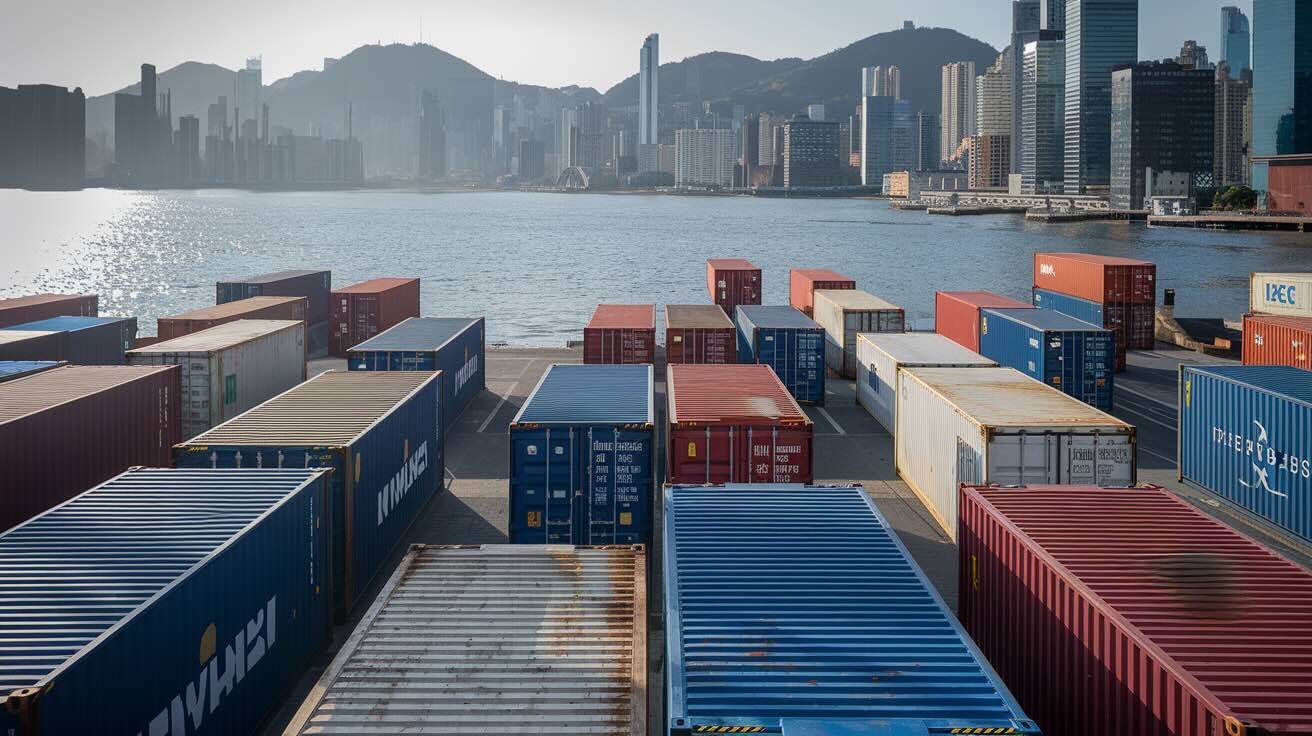
Docker packages your application and everything it needs to run — code, runtime, system libraries, and configuration — into a single portable artifact called a container. The same container that runs on your laptop runs identically in CI and on a production server, which kills the works on my machine
excuse and makes deployments boringly repeatable.
This guide explains what Docker actually is, how images and containers and registries fit together, and how to use it for real production workloads — including the Compose, BuildKit, security, and tag-strategy details that the average tutorial skips.
Container vs virtual machine
A container is an isolated process that shares the host operating system kernel while keeping its application dependencies separated from everything else on the machine. A virtual machine, by contrast, runs an entire guest operating system on top of a hypervisor.
The practical differences are big:
| Container | Virtual machine | |
|---|---|---|
| Start time | <100 ms | 20–60 seconds |
| Image size | 5 MB (Alpine) – 200 MB | 1–4 GB |
| Memory overhead | Megabytes | Hundreds of megabytes per VM |
| Density (per host) | Hundreds | Tens |
| Boundary strength | Process-level | Hardware-virtualised |
| Best for | App packaging, CI builds, microservices | Strong isolation, multi-tenant infra, Windows-on-Linux |
Containers are not a security boundary as strong as VMs — that gap is what hardened runtimes (gVisor, Kata, Firecracker) try to close. But for shipping your own application across environments, containers win on every other axis.
The four moving parts: Dockerfile, image, container, registry
Most Docker confusion goes away once these four are clear:
- Dockerfile — a text file with the recipe to build an image. You commit this to your repo.
- Image — an immutable, layered binary artifact built from the Dockerfile. Identified by content-addressable SHA digests; tagged for human readability (
myapp:v1.4.2). - Container — a running instance of an image. You can run hundreds of containers from the same image.
- Registry — a service that stores and distributes images. Docker Hub is the public default; GHCR, GCR, ECR, and self-hosted options like Harbor are the production norm.
A typical lifecycle: write a Dockerfile, run docker build to produce an image, run docker push to publish it to a registry, and docker run (on any host that can pull from the registry) to start a container.
Five-minute walkthrough
Pull a public image and run it:
docker run --rm -p 8080:80 nginx:1.27
That command pulls nginx:1.27 if it is not already cached locally, starts a container, maps host port 8080 to container port 80, and removes the container when it exits (--rm). Visit http://localhost:8080 and you have an Nginx server. Stop it with Ctrl-C.
Build your own image from a Dockerfile:
docker build -t myapp:v1 .
docker run --rm -p 3000:3000 myapp:v1
Push the image to a registry:
docker tag myapp:v1 ghcr.io/myorg/myapp:v1
docker push ghcr.io/myorg/myapp:v1
Anyone (or any server) with access to the registry can now docker pull ghcr.io/myorg/myapp:v1 and run the same image you just built. That is the entire deployment story in three commands.
A production-grade Dockerfile
A minimal Dockerfile gets you started, but production needs a multi-stage build to keep build tools out of the runtime image:
# syntax=docker/dockerfile:1.6
FROM node:20-alpine AS build
WORKDIR /app
COPY package*.json ./
RUN npm ci
COPY . .
RUN npm run build

FROM node:20-alpine AS runtime
WORKDIR /app
COPY package*.json ./
RUN npm ci --omit=dev
COPY --from=build /app/dist ./dist
USER node
EXPOSE 3000
CMD ["node", "dist/server.js"]
What this gets you:
- Smaller runtime image. Build dependencies (compilers, dev packages) live in the
buildstage and never reach production. - Non-root execution.
USER noderuns the process as an unprivileged user. - Cache-friendly layer order.
package*.jsonis copied beforeCOPY . ., so changes to source code do not invalidate thenpm cilayer. - Pinned base image.
node:20-alpineis specific enough to avoid surprise breakage; for production, pin further with a SHA digest (more on that below).
Pair the Dockerfile with a .dockerignore to keep junk out of the build context:
node_modules
.git
.env
*.log
.DS_Store
coverage
dist
Without this, docker build ships your entire .git history and local node_modules to the daemon on every build. We have seen build contexts shrink from 800 MB to 5 MB with one well-written .dockerignore.
Docker Compose: the daily driver
Once your app needs more than one container — say, the app plus PostgreSQL plus Redis — you reach for Docker Compose. A docker-compose.yml describes the whole stack declaratively:
services:
  app:
    image: ghcr.io/myorg/myapp:v1
    ports:
      - "127.0.0.1:3000:3000"
    environment:
      DATABASE_URL: postgres://app:${DB_PASSWORD}@db:5432/app
    depends_on:
      db:
        condition: service_healthy

  db:
    image: postgres:17-alpine
    environment:
      POSTGRES_USER: app
      POSTGRES_DB: app
      POSTGRES_PASSWORD: ${DB_PASSWORD}
    volumes:
      - pgdata:/var/lib/postgresql/data
    healthcheck:
      test: ["CMD-SHELL", "pg_isready -U app"]
      interval: 5s
      retries: 10

volumes:
  pgdata:
docker compose up -d starts the stack, docker compose pull && docker compose up -d upgrades to a new image, docker compose down tears it down. Most self-hosted production deployments — like our n8n on Alibaba Cloud Linux 3 with Docker and self-host Paperclip on a VPS with Docker walkthroughs — are Compose stacks under the hood.
Note the 127.0.0.1: prefix on the port mapping. Without it, Docker exposes the container directly to all interfaces, bypassing your ufw / firewalld rules. This is one of the most common Docker-on-a-VPS footguns and worth flagging out loud.
For Compose v2 (the current standard), the command is docker compose (no hyphen). The legacy docker-compose v1 binary was sunset in 2023 — if you are still using it, upgrade.
Networking and storage
Two production concerns Docker handles well, with caveats:
Networking. Containers on the same user-defined network reach each other by service name (app reaches db over db:5432 in the Compose example above). Mapping ports to the host (-p 80:3000) exposes the container externally; bind to 127.0.0.1: to keep it behind a reverse proxy.
Storage. A container's writable layer is ephemeral — anything written inside the container disappears when it is removed. Persistent data lives in volumes (managed by Docker, on the host) or bind mounts (a host path mounted into the container). Databases belong in volumes, never inside the container itself.
Image tags, digests, and supply chain
The most common production-grade Docker mistake is using :latest everywhere:
docker pull myapp:latest # what version is this? Nobody knows.
:latest is a moving target. The image you tested in CI may not be the image that gets pulled to production five minutes later. The fix is content-addressable digests:
docker pull myapp@sha256:9a8b7c6d5e4f...
The digest is immutable: that exact byte-for-byte image, forever. In CI you tag both — myapp:v1.4.2 and myapp@sha256:... — and pin production to the digest.
For supply-chain hygiene:
- Pin base images by tag and ideally digest (
FROM node:20-alpine@sha256:...). - Scan images for CVEs in CI. Trivy, Docker Scout, and Snyk all do this.
- Sign images with Cosign for higher-trust environments.
- Inject secrets at runtime (env vars, mounted files, secrets backends) — never bake them into images.
BuildKit, multi-platform, and faster builds
Modern Docker uses BuildKit under the hood. It is enabled by default in Docker Engine 23+, but the Buildx frontend unlocks the interesting bits:
- Multi-platform builds.
docker buildx build --platform linux/amd64,linux/arm64 -t myapp:v1 --push .produces a single multi-arch image. Critical for ARM-based hosts (Apple Silicon devs, AWS Graviton, Hetzner ARM). - Build secrets.
RUN --mount=type=secret,id=npmrc npm cipulls a secret into the build at runtime without baking it into a layer. - Cache mounts.
RUN --mount=type=cache,target=/root/.npm npm cireuses the package cache across builds, slashing CI build times by 50%+ for dependency-heavy projects. - SSH forwarding.
RUN --mount=type=ssh git clone ...for private repo access during build.
If your Dockerfile starts with # syntax=docker/dockerfile:1.6 (or newer), BuildKit features are available.
Production-readiness checklist
Before you put a containerised service in front of users, you should be able to answer yes to all of these:
- Image determinism. Can you rebuild the exact same image from the same commit, six months from now? (Pin base image digests, lockfiles, build args.)
- Tag strategy. Are production deploys pinned to immutable digests, not floating tags?
- Runtime user. Is the container running as a non-root user?
- Secrets. Are credentials injected at runtime (env vars, mounted files, secrets manager) and never baked into image layers?
- Resource limits. Have you set CPU and memory limits in your runtime config?
- Healthchecks. Does the container expose a
/healthzendpoint and aHEALTHCHECKdirective? - Logs. Are logs going to stdout/stderr (so the runtime can collect them), not to files inside the container?
- Rollback. Can you redeploy the previous image's digest in under a minute?
- Image scanning. Are CVE scans gating CI, with thresholds you actually fail builds on?
.dockerignore. Does your build context exclude.git,node_modules,.env, and dev artefacts?
If three or more of those are not yet,
fix them before scaling Docker adoption further.
Common Docker mistakes
- Using
:latesteverywhere. Untraceable in production. Use semantic tags plus digest pinning. - Building on the production server. Burns CPU and risks shipping different artefacts than CI tested. Build off-host, push to a registry, pull on the server.
- Leaving build tools in the runtime image. Multi-stage builds exist for this reason.
- Mounting
/var/run/docker.sockinto a container. This is root-on-host. Almost never the right answer. - Running as root.
USER node(or any non-root user) is one line in the Dockerfile. - Mixing app and database lifecycles in the same Compose file in production. Fine for dev; in production, the database belongs to a managed service or its own dedicated stack.
- Treating containers as pets. Containers should be replaceable in seconds. If you need to SSH into one to fix it, the next deploy will undo your fix anyway — fix the image instead.
Docker vs orchestration
Docker handles a single host well. As soon as you need to schedule across many hosts — health checks, auto-restart, autoscaling, rolling updates, service discovery — you reach for orchestration:
- Docker Compose — single-host orchestration. Perfect for a VPS or a developer laptop. This is where most self-hosted apps live.
- Docker Swarm — multi-host, simple to operate, declining in popularity.
- Kubernetes — multi-host, the de facto standard for large container deployments. Significantly more operational surface area.
- Managed container platforms — AWS ECS, Google Cloud Run, Fly.io, Railway. Trade some flexibility for far less ops work.
A reasonable progression: Compose on a single VPS → Compose across two or three VPSes with shared registry → Kubernetes (or a managed PaaS) when scheduling complexity actually requires it. We documented our own version of this evolution in how we built and deployed PageSpeed by DeployHQ — single-VPS Compose is much further than people assume.
If you want a Docker alternative without the daemon and with rootless-by-default, Podman is the closest drop-in.
Where Docker pays off
Docker's value compounds in teams that have:
- Drift between environments. Local works, staging mostly works, production has surprises.
- Frequent onboarding. New engineers get a working environment with one
docker compose up. - Cross-functional ownership. App devs and platform engineers share an artefact contract.
- Multi-service apps. App + database + queue + cache, all running locally with one command.
- Self-hosted tooling. n8n, Keycloak, Metabase, Paperclip, Open WebUI — anything you would otherwise have to install with apt, pip, npm, and a prayer.
The first deploy of a containerised service costs more than git pull + pm2 restart. Every deploy after that costs less.
Frequently asked questions
Is Docker the same as a virtual machine?
No. Containers share the host kernel and run as isolated processes; VMs run an entire guest operating system on a hypervisor. Containers are far lighter (megabytes of overhead vs gigabytes) and start in milliseconds vs tens of seconds. VMs offer stronger isolation, which matters for multi-tenant infrastructure but not for shipping your own app.
Do I need Kubernetes to use Docker?
No. Most teams should not start with Kubernetes. Docker Compose on one or two VPSes covers a large surface area of real applications. Reach for orchestration when scheduling across many hosts, autoscaling, or strict HA actually become problems you have.
Are Docker containers secure by default?
They can be secured, but the defaults are not enough. Run as non-root, scan images, pin base image digests, inject secrets at runtime, set resource limits, and keep your host kernel patched. Container breakouts are rare but possible — for hard isolation needs, layer in a hardened runtime (gVisor, Kata) or use a VM.
Should I store data inside containers?
No. Use volumes for persistent data, or push state to a managed service entirely. Containers should be replaceable without data loss.
What's the difference between Docker and Docker Desktop?
Docker Engine is the runtime that builds and runs containers. Docker Desktop is the GUI app for macOS and Windows that bundles Engine, the CLI, BuildKit, and a Linux VM (because containers are a Linux-kernel feature). On Linux, you usually install Docker Engine directly without Desktop.
Should I use docker-compose or docker compose?
docker compose (the v2 plugin, no hyphen). The legacy docker-compose v1 Python script was deprecated in 2023.
Where to go next
Once you have Docker fundamentals down, the natural next step is wiring it into a deployment pipeline. A few starting points:
- Run a real app on a VPS with Docker Compose. Self-host Paperclip with Docker and continuous deployment walks through the full pattern — fork, build, push to GHCR, pull on the VPS.
- Self-host workflow automation. n8n on Alibaba Cloud Linux 3 with Docker covers Postgres, Nginx, Let's Encrypt, and the gotchas every quickstart skips.
- Decide where to host it. The VPS 101 guide covers what to look for in a provider for Docker workloads.
- Pick a deploy tool. Comparison of approaches in the easiest way to deploy on a VPS.
- Standardise your build pipeline. DeployHQ's Docker build environments build images on every commit and push them to your registry of choice.
Start a free DeployHQ trial — connect your repo, build Docker images on every commit, push to GHCR, and deploy to your VPS automatically. Pricing is on the plans page; the agency plan covers unlimited team members for agencies running Docker stacks across multiple clients.
Questions about containerising a specific app or wiring up Docker-based deploys? Email us at support@deployhq.com or ping @deployhq on X.