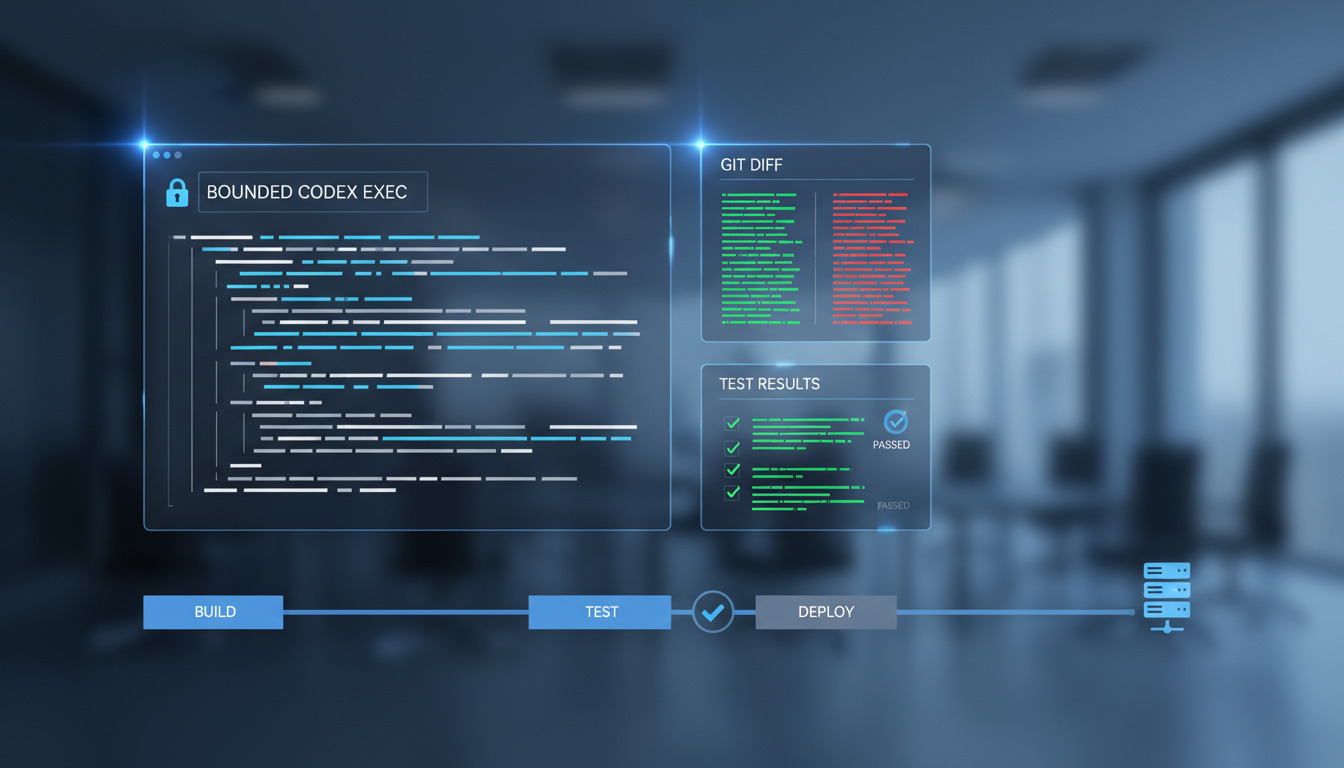
Codex Exec is the terminal-oriented way to delegate a bounded coding task to OpenAI Codex. It is useful when you want an agent to make a focused change, return control to a script or CI job, and leave a reviewable Git diff behind.
That last part matters. Running an AI coding task is not the same as validating or releasing the result. A reliable workflow separates the stages:
- Give the agent the right repository context.
- Ask for a narrow, testable change.
- Inspect the generated diff.
- Run tests and other checks.
- Review and commit the change through your normal process.
- Deploy only after the change has passed your release controls.
This guide focuses on that execution-first workflow, including how to adapt CLAUDE.md-style project guidance for Codex and how to run agent work safely from scripts or CI.
What Codex Exec is and when to use it
An interactive coding session is designed for a developer and an agent to work together conversationally. You can ask follow-up questions, inspect files as you go, and adjust the task as new information appears.
Codex Exec is better suited to a bounded operation that can be described up front. Typical examples include:
- Adding a small endpoint or command to an existing project.
- Updating a group of tests after a deliberate API change.
- Refactoring one module while preserving its public interface.
- Generating a migration together with the corresponding application changes.
- Fixing a reproducible test failure.
- Preparing a reviewable change in an isolated branch or worktree.
The key distinction is not simply that one mode runs in a terminal. The distinction is the control model. An interactive session has a person continuously steering it. An Exec task should have an explicit scope, an expected outcome, and a clear stopping point.
For a broader introduction to the command-line tool and its surrounding workflow, see the OpenAI Codex CLI getting started guide. This article concentrates on repeatable execution rather than first-time exploration. If you are still choosing between agents, Claude Code vs Codex CLI vs Gemini CLI compares them side by side.
Prerequisites: authentication, Git, and project context
Before starting an Exec task, prepare the environment rather than asking the agent to discover everything while it is working.
Install and authenticate Codex
Install Codex using the method recommended for your operating system and the version of the tool you intend to run. Then authenticate it according to the current Codex documentation or the authentication flow exposed by your installation.
Do not assume that examples written for one release support the same options in another. Check the installed command's help output before putting a command into a script:
codex exec --help
Authentication should be tested separately from the coding task. A failed login mixed with a failed code change is harder to diagnose, especially in CI.
Start with a clean working tree
Use an isolated branch or worktree when possible. A clean tree makes it possible to answer a simple question after the agent finishes: which files changed because of this task?
git status --short
git switch -c chore/limited-codex-task
If you already have valuable uncommitted work, stop and either commit it, stash it through your normal process, or use a separate worktree. Do not ask an agent to operate in a directory whose existing changes you cannot distinguish from its output.
Provide project context
The agent needs more than the task sentence. Useful context includes:
- The project language and framework.
- The relevant package or service.
- The files that may be changed.
- The tests that define the expected behavior.
- Formatting, linting, and type-checking commands.
- Files and directories that must not be touched.
- Security, compatibility, and performance constraints.
Project instruction files can provide durable context, but their behavior is version- and tool-dependent. Confirm which instruction files your installed Codex version reads and how it resolves instructions in nested directories. Do not assume that CLAUDE.md is a universal instruction format.
Your first Codex Exec task
A useful first task is deliberately small. For example, ask Codex to add validation to one function and update its tests. Keep the request explicit about scope and acceptance criteria:
codex exec 'In the payment parser, reject an empty currency code and add focused tests for the existing valid and invalid cases. Limit changes to src/payment_parser and its tests. Do not change the public function signature, dependencies, database schema, or formatting configuration. Run the relevant test command and summarize any failure without modifying unrelated files.'
The exact command-line options available to Codex can change. The important pattern is the task passed to codex exec, not a particular collection of flags. Check codex exec --help and your installed version's documentation before adding options for approvals, sandboxing, output, or execution mode.
When the task completes, do not treat a successful agent response as proof that the implementation is correct. Immediately inspect the repository:
git status --short
git diff --stat
git diff -- src/payment_parser tests
Then run the project's normal checks yourself. The agent may have reported a test result from a different environment, skipped a check, or misunderstood which command represents the full test suite.
How non-interactive execution differs from an interactive session
Non-interactive execution removes useful opportunities for clarification. A person may notice an ambiguous requirement during a conversation; a script usually cannot.
Design an Exec task so that it can fail safely when information is missing. A strong task states:
- The single outcome required.
- The files or directories in scope.
- The behavior that must remain unchanged.
- The acceptance criteria.
- The tests to run.
- The actions that are prohibited.
- What to do when the requirement cannot be completed safely.
Avoid prompts such as Improve this project or Fix anything that looks wrong. They have no reliable boundary and make unrelated edits more likely. If discovery is required, make discovery a separate, human-reviewed step rather than silently combining it with implementation.
For a wider comparison of interactive and headless agent workflows, see running AI coding agents in CI/CD. The same principle applies here: automation should reduce ambiguity, not hide it.
Sandboxing, approvals, permissions, and safe defaults
Treat generated code and agent actions as untrusted until reviewed. The safest default is to reduce what the process can access and what it is allowed to change.
Use these controls where your operating system, Codex version, and CI platform support them:
- Run in a disposable branch, worktree, container, or workspace.
- Give the process only the repository and tools it needs.
- Avoid production credentials and broad cloud credentials.
- Keep network access disabled unless the task genuinely requires it.
- Limit writable paths when your execution environment supports path restrictions.
- Require an explicit human control point before merging or deploying.
- Store logs without exposing tokens, cookies, private keys, or customer data.
- Set an outer timeout in the script or CI runner.
Sandboxing and approval options are implementation details that vary between releases. Confirm their names and semantics with the installed tool rather than copying a flag from an unrelated example. A permission prompt is also not a substitute for code review: an agent can be permitted to edit a file and still produce an incorrect change.
Never give a coding agent an implicit path to production. Generating a patch and deploying that patch are separate responsibilities. The deployment step should require an explicit decision, a tested revision, and the credentials appropriate for the target environment.
Using CLAUDE.md-style instructions with Codex
Many teams already keep project guidance in CLAUDE.md. That file may describe architecture, coding conventions, test commands, and dangerous areas. It can be valuable source material for Codex, but the filename alone does not guarantee that Codex will load it.
First, check the current Codex behavior for project instruction files. Then choose one of these approaches:
Reuse the guidance as a source document
Read the relevant CLAUDE.md during task preparation and summarize only the rules that apply to the change. This is useful when the file contains guidance specific to another assistant or includes interactive procedures that do not fit Exec.
Adapt the guidance into a Codex-supported file
Translate the durable project rules into the instruction format supported by your installed Codex version. Keep the result concise and put it at the repository level when it applies to the whole project. Use a nested file only when a subdirectory has genuinely different rules.
Duplicate carefully when both tools are in use
If your team uses Claude Code and Codex, it may be reasonable to maintain equivalent guidance in both supported formats. Avoid two independently edited copies with conflicting commands. Keep shared rules short, review changes to them like code, and identify which instructions are authoritative for security and release behavior.
Useful instructions include:
- The commands for tests, linting, and type checks.
- The directories that contain generated files.
- Public interfaces that must remain compatible.
- Migration and database safety rules.
- Prohibited actions such as changing deployment configuration.
- The required format for a final summary.
Do not put secrets in an instruction file. Do not tell the agent that passing tests authorizes a production deployment. Project guidance should improve consistency while leaving review and release decisions with people and your existing controls.
Designing prompts that produce reviewable changes
A bounded prompt is easier to review than a clever prompt. Use a structure such as:
Goal:
Implement [one behavior].

Scope:
Change only [specific files or directories].

Acceptance criteria:
- [observable result]
- [observable result]

Checks:
Run [project test, lint, or type-check commands].

Prohibitions:
Do not change [dependencies, public APIs, migrations, deployment files, or unrelated modules].

When blocked:
Stop, explain the blocker, and do not make speculative changes.
Ask for a final summary containing the files changed, checks run, checks that failed, and known limitations. That summary is useful evidence, but verify it against the Git diff and your own command output.
A good prompt also makes the desired diff smaller. If a task can be split into implementation, test updates, and cleanup, run those as separate reviewed tasks. Smaller changes are easier to revert, review, and deploy.
Running Codex Exec in scripts and CI/CD
The safest CI use case is usually a controlled preparation step that creates a diff or proposed commit for a human or downstream review process. It is riskier to let an agent modify code and immediately release it.
A minimal shell wrapper might look like this:
#!/usr/bin/env sh
set -eu

codex exec 'Implement the narrowly specified task from the issue. Change only the listed application files and tests. Do not modify deployment configuration or dependencies. Run the repository checks and stop if the requirement is ambiguous.'

git diff --check
git status --short
This example intentionally leaves the project-specific test command to the repository. Do not invent a universal test command: use the command documented by that project and verify that it actually ran. If you would rather not maintain this wrapper yourself, DeployHQ's build pipelines run the same test and lint steps on every deployment, so the checks that gate a release live outside the agent's reach.
In CI, add controls around the command:
- Pin the runner image and relevant tool versions where practical.
- Provide deterministic input from a reviewed issue or task file.
- Fail the job when the process exits unsuccessfully.
- Capture standard output and error separately when your CI system supports it.
- Apply a job timeout outside the agent process.
- Run every CLI step with
--non-interactiveso a job fails with an actionable error instead of blocking on a prompt. - Redact secrets from logs.
- Check the list of changed files against an allowlist.
- Run tests and static checks after the agent exits.
- Publish the diff as an artifact or open a reviewable change, rather than deploying it automatically.
Exit status is important. A natural-language response that says I could not finish may still be accompanied by an exit status your wrapper treats as successful if the script is not configured carefully. Conversely, a failed test should remain visible and should block the handoff until someone decides what to do.
For deployment teams, the boundary is straightforward: Codex may prepare a change, while CI and release automation decide whether that change is eligible for deployment. AI coding assistants and deployment workflows provides additional context for keeping those responsibilities separate.
Capturing output, checking the diff, and handling failures
After every run, use a repeatable inspection sequence:
- Check the process exit status.
- Save or inspect the agent output. Add
--jsonto anydhqcommand when a later step needs to parse the result rather than read it. - Check the working tree status.
- Review the complete diff, not only the summary.
- Check for whitespace errors and unexpected files.
- Run focused tests.
- Run the broader project checks required by the repository.
- Ask a reviewer to assess behavior, security, and maintainability.
A practical review should look for more than syntax errors. Check authorization paths, input validation, error handling, logging, dependency changes, migrations, generated files, and accidental secret exposure. If the change affects a deployment path, verify that it does not alter target selection, credentials, rollback behavior, or environment configuration without an explicit review.
If tests fail, preserve the failure information. Decide whether the agent should receive a narrowly scoped follow-up task or whether a developer should fix the issue manually. Do not keep retrying an ambiguous task until the diff becomes large and difficult to explain.
From generated change to a controlled DeployHQ workflow
Once the change has been reviewed, committed, and pushed according to your team's process, DeployHQ can handle the deployment stage. The important handoff is a known Git revision, not an instruction to an agent to deploy whatever it most recently changed.
DeployHQ's command-line tool is dhq — see deploy from your terminal for install and agent setup. Authenticate and inspect the available project and server context before creating a deployment:
dhq auth login
dhq auth status
dhq projects list
dhq servers list -p my-project
The project is selected with -p or --project, and dhq servers list is scoped to a project, so it needs that flag too. A deployment can specify a branch, server or server group, and revision.
One default is worth knowing before you wire this into a script: deploys are incremental. The start revision defaults to the server's last successfully deployed commit, so a deployment carries only what changed since the last release — which is usually what you want after a bounded agent task. Use --full to deploy the whole branch from its first commit, and --start-revision to pin the lower bound yourself when you are shipping a hotfix out of order.
Preview the deployment first when appropriate:
dhq deploy --project my-project --branch main --server production --revision REVISION --dry-run
--dry-run and --wait are mutually exclusive, so preview and watch are separate invocations. When the revision and target have been reviewed, create the deployment and wait for it to finish, with a timeout so a stuck release cannot hang the job:
dhq deploy --project my-project --branch main --server production --revision REVISION --wait --timeout 600
Use the actual project permalink, target name, and revision from your environment. The target is a server or server group; dhq deploy does not use an --environment flag. For more examples of terminal-based deployment, see DeployHQ CLI: deploy from your terminal.
If a deployment needs investigation, list or inspect it and review its step logs:
dhq deployments list
dhq deployments show DEPLOYMENT_ID
dhq deployments logs DEPLOYMENT_ID
A failed deployment should enter your normal incident and rollback process — dhq deployments rollback DEPLOYMENT_ID rolls a release back, and dhq deployments watch DEPLOYMENT_ID follows one in real time. Do not have Codex make an unreviewed second change merely because the first deployment failed. First determine whether the failure came from the generated code, the build, the server, configuration, or the deployment process.
This separation gives you a useful chain of evidence:
- The original task and acceptance criteria.
- The agent output and exit status.
- The Git diff and review decision.
- The test and static-check results.
- The exact revision selected for deployment.
- The DeployHQ deployment and step logs.
Troubleshooting common Codex Exec problems
Authentication fails
Test authentication independently before running a coding task. Confirm that the CI secret is available to the intended job, has the required scope, and is not being printed in logs. If interactive login is required, do not assume the same flow works in a headless runner.
Codex cannot find the repository context
Check the working directory, Git root, checkout depth, and files available to the runner. Make the repository path explicit in the script and provide the relevant project context in the task. Do not compensate by giving the agent broad access to unrelated directories.
Instruction files conflict
Look for repository-level and nested instruction files, then check which ones the installed version reads and how it combines them. Remove contradictory rules and make test commands and prohibited actions explicit in the task. Treat instruction-file changes as reviewed project changes.
Sandbox or permission errors occur
Identify whether the task genuinely needs the blocked path, command, or network resource. Prefer narrowing the task or preparing a safe fixture over granting broad permissions. If a permission must be expanded, document why and keep the expansion limited to the current job.
Unexpected files changed
Stop and inspect git status --short and the full diff. Generated files, formatting changes, caches, and lockfiles can reveal that the task scope was too broad. Revert only through your normal reviewed Git process, then rewrite the prompt with explicit file boundaries.
Tests fail after the agent reports success
Run the checks yourself in the same environment used for review. Confirm that the agent did not run only a focused test, that dependencies were installed consistently, and that the failure is not environment-specific. Treat the result as an incomplete task until the failure is understood.
CI hangs
Use an outer CI timeout and inspect whether the process is waiting for input, downloading an unavailable resource, or running an unexpectedly broad command. A non-interactive job should fail clearly when it needs a decision rather than waiting indefinitely.
Codex Exec checklist and next steps
Before running a terminal task:
- [ ] The repository is checked out and the working tree is clean.
- [ ] The agent is authenticated without exposing credentials.
- [ ] The task has one clear outcome and bounded scope.
- [ ] Acceptance criteria and project checks are named.
- [ ] Files and actions that are prohibited are listed.
- [ ] The instruction-file behavior for the installed Codex version is understood.
- [ ] The job has least-privilege permissions and an outer timeout.
After the task:
- [ ] The exit status and output are captured.
- [ ] The complete Git diff has been reviewed.
- [ ] Unexpected files and dependency changes are understood.
- [ ] Tests, linting, type checks, and security checks have run.
- [ ] A person has reviewed the result before merge.
- [ ] The exact approved revision is selected for deployment.
- [ ] DeployHQ deployment logs are available for the release record.
Codex Exec can make repetitive coding work faster, but it should not collapse generation, validation, review, and release into one opaque command. Use it to produce a bounded change, keep the diff explainable, and let your existing Git, CI, review, and DeployHQ controls decide what reaches production.
Need help designing a safe deployment workflow? Contact support@deployhq.com or follow DeployHQ on X.