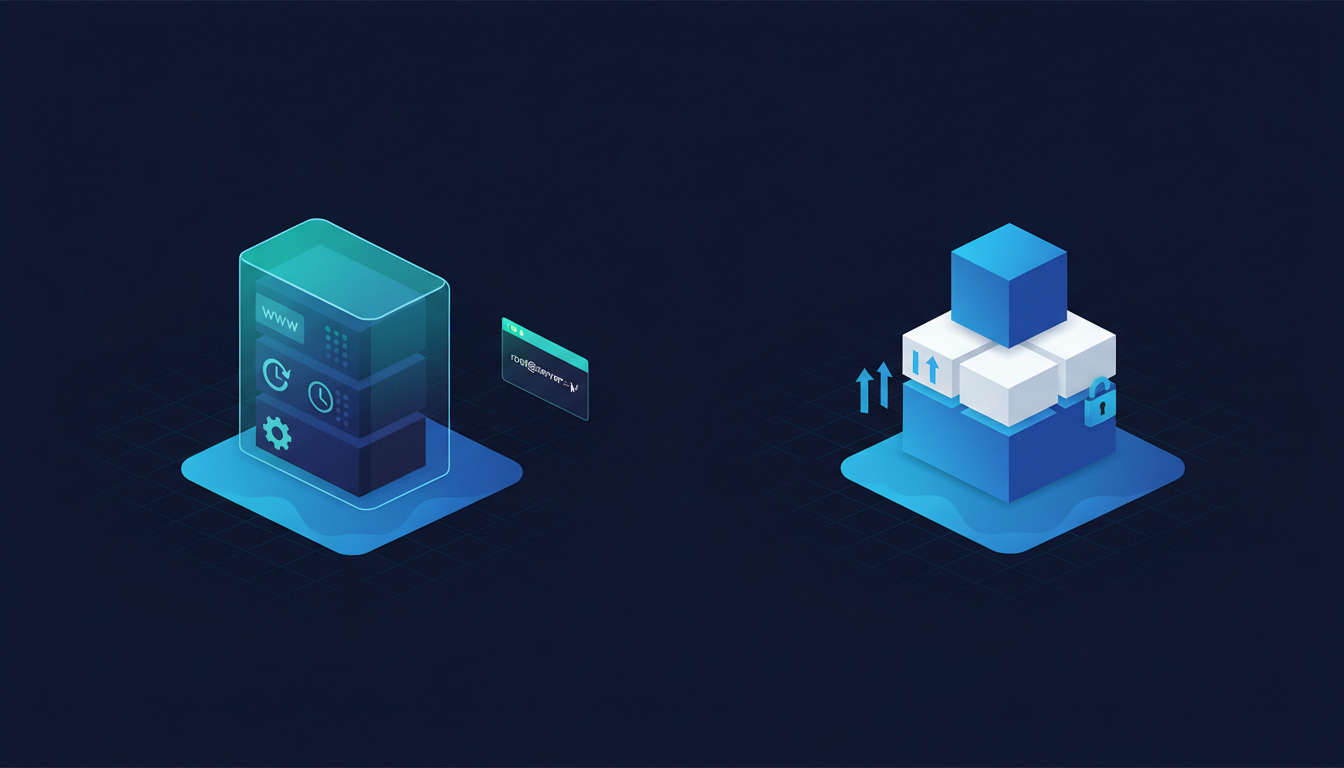
DeployHQ Managed VPS and DigitalOcean App Platform sit on the same physical infrastructure. Both run inside DigitalOcean's data centers, ship code from a Git repository, and bundle CI/CD with hosting on a single bill. The difference isn't where your code runs — it's how much of the box you actually control.
DigitalOcean App Platform abstracts the container away from you. No SSH access, fixed runtime model, no custom services, no installing your own packages outside what the platform allows. That's the PaaS trade-off: zero infrastructure decisions, in exchange for ceding control over the runtime.
DeployHQ Managed VPS gives you a real Linux VPS with full root access — same DigitalOcean infrastructure underneath, but you can SSH in, install whatever you want, run cron jobs, set up custom services, and treat it like the Linux box it is. The deployment pipeline rides on top.
This guide compares the two head to head: feature parity, pricing, when to pick which.
TL;DR
If you want zero infrastructure decisions, autoscaling out of the box, and managed databases tied into the same product, DigitalOcean App Platform is the cleaner answer. The PaaS model removes a real amount of operational work.
If you need a real Linux box — for SSH access, custom services, cron jobs, or any workload that needs to step outside a PaaS sandbox — DeployHQ Managed VPS is the right product. You get the same DigitalOcean infrastructure App Platform runs on, plus the DeployHQ deployment pipeline already wired in, plus the ability to deploy other targets (your own VPS, static sites, shared hosting) from the same project.
For broader context across the deployment-tool landscape, our roundup of the best software deployment tools in 2026 places DeployHQ, App Platform, and the rest of the category side by side.
At a glance: feature comparison
| Capability | DeployHQ Managed VPS | DigitalOcean App Platform |
|---|---|---|
| Underlying infrastructure | DigitalOcean Droplets | DigitalOcean managed containers |
| Root SSH access | Yes | No (PaaS sandbox) |
| Custom services / cron / daemons | Yes (it's a real Linux box) | Limited to platform-supported types |
| Server sizes | 1-2 vCPU / 1-4 GB (beta) | Shared 1 vCPU / 512 MiB up to 2 vCPU / 4 GB |
| Autoscaling | No (manual sizing) | Yes (on dedicated instances) |
| Managed databases bound in | No (run your own or use external) | Yes ($7/mo dev DB and up) |
| Build pipeline | DeployHQ generic pipeline | App Platform native build |
| Deploy other targets (VPS, static, shared) in same project | Yes | No (App Platform only) |
| One bill with deployment tool | Yes (DeployHQ plan) | Yes (DO ecosystem) |
| Beta status | Yes (mid-2026) | GA |
| Vendor lock-in | Low (it's just Linux + SSH) | Medium-high (PaaS runtime + bindings) |
Same physical hardware. Different abstraction layer.
When DeployHQ Managed VPS is the right choice
You need SSH access to a real Linux box. This is the structural differentiator. If your application needs to install system packages, run a background worker the PaaS doesn't natively support, set up a custom cron schedule, run a third-party agent (monitoring, log shipping, backup), debug live with strace / tcpdump / journalctl, or do anything else that requires touching the OS, App Platform locks you out. DeployHQ Managed VPS hands you root over SSH and you do whatever Linux lets you do. See the Managed VPS Hosting pillar guide for the provisioning flow and what you get out of the box.
You want the DeployHQ deployment pipeline. App Platform builds and deploys using its own conventions. DeployHQ Managed VPS uses the same generic build pipeline that ships your code to any other target — your own Hetzner box, DigitalOcean Droplets you provisioned yourself, shared hosting, S3 buckets. If your team has already tuned a DeployHQ pipeline for a project — environment variables, build steps, pre-deploy hooks, post-deploy notifications — deploying to a Managed VPS doesn't require relearning a new platform's build conventions.
You're mixing deployment targets. A common pattern: production on a managed VPS, staging on a BYO server, a static frontend on Static Hosting, all in one DeployHQ project with one set of credentials and one rollback surface. App Platform can't host the static frontend at scale and can't deploy to a non-App-Platform target — you'd need a second tool. DeployHQ handles all of it from one project.
You don't want PaaS lock-in. App Platform's value-add (managed databases bound to the app, autoscaling, dev DB pricing, dedicated egress IPs) is tightly coupled to the App Platform runtime. If you outgrow App Platform's constraints, migration means lifting the application onto a different platform and re-wiring the bindings. DeployHQ Managed VPS is intentionally generic — it's a Linux VPS that DeployHQ happens to manage. If you ever leave, your app already runs on stock Linux and can move anywhere.
When DigitalOcean App Platform is the right choice
You don't want to manage Linux at all. App Platform is genuine PaaS — no OS to patch, no security updates to apply, no packages to install, no kernel to tune. If I don't want to think about the box, I just want to push code
describes your team's preference, App Platform delivers that. DeployHQ Managed VPS is less operational work than a raw Droplet, but it's still a Linux box you can log into; if you'd rather not have that surface at all, App Platform's abstraction is what you want.
You need autoscaling. App Platform's dedicated-instance tiers offer autoscaling based on CPU and memory. DeployHQ Managed VPS is manually sized — you pick a tier at provisioning time and resize manually as needed. If your workload spikes unpredictably and you want the platform to handle it without intervention, App Platform is the right product.
You want managed databases bundled in. App Platform's Development Database ($7/month for 512 MiB) gives you a Postgres instance bound directly to your app with private networking. Production databases scale up from there. DeployHQ Managed VPS doesn't bundle a database — you'd run Postgres yourself on the same VPS (fine for many workloads) or use a separate managed database service (DigitalOcean Managed Databases, Neon, Supabase, etc.).
Your workload fits the PaaS runtime. If your app is a stateless web service that reads from a database and writes to an object store — the canonical PaaS shape — App Platform handles it cleanly. The constraints PaaS imposes (no SSH, fixed runtime, specific build conventions) genuinely aren't constraints for that shape of workload.
Pricing: side by side
Quick comparison as of June 2026. Check vendor pages for current numbers before committing.
DigitalOcean App Platform has simplified to a free tier (3 static-site apps with 1 GiB transfer per app) plus a pay-as-you-go container model — no more Basic/Pro tiers. Container instance costs:
- Shared 1 vCPU / 512 MiB / 50 GiB transfer — $5/month
- Shared 1 vCPU / 1 GiB / 100-150 GiB — $10-12/month
- Shared 1 vCPU / 2 GiB / 200 GiB — $25/month
- Shared 2 vCPU / 4 GiB / 250 GiB — $50/month
Add-ons: Development Database $7/month, Dedicated Egress IP $25/month per app, overage bandwidth $0.02/GiB.
DeployHQ Managed VPS server sizes range from 1 vCPU / 1 GB RAM up to 2 vCPU / 4 GB RAM, with the monthly cost shown on the provisioning form in your account's currency. Pricing rolls into your DeployHQ plan on a single monthly invoice. Trial accounts can provision one Managed VPS server using the smallest available size at no charge.
If you're already paying for DeployHQ to deploy code somewhere, adding a Managed VPS is a marginal add to your existing bill. If you'd otherwise be evaluating App Platform plus a separate deployment tool, the bundled DeployHQ math often comes out cheaper. See current DeployHQ pricing for the full plan table.
Moving between them (it's not all-or-nothing)
Both run on DigitalOcean infrastructure, so the network and region geography is identical. Migration in either direction is mostly about re-architecting around the runtime model.
From App Platform to DeployHQ Managed VPS: provision the VPS in DeployHQ, install your app's runtime (Node, Ruby, Python, PHP — whatever App Platform was running for you), set up your service supervisor (systemd, PM2, Passenger), and deploy via the standard DeployHQ pipeline. If App Platform was managing your Postgres, you'll either move to DigitalOcean Managed Databases (same infrastructure, no migration), run Postgres on the VPS itself, or migrate to a different managed-DB provider. Our post on DeployHQ + DigitalOcean partnership covers the broader integration pattern.
From DeployHQ Managed VPS to App Platform: harder in practice — you re-architect around App Platform's runtime conventions, define your app.yaml spec, bind to managed databases, and adapt any custom services to use App Platform-supported types. If your app used SSH-only operations (cron jobs, custom binary execution, agents), you'll need PaaS-compatible alternatives.
Or: mix them. Run your main web app on App Platform for the autoscaling and managed-DB story, run worker processes or background jobs on a DeployHQ Managed VPS where you can install whatever you need, and keep both in the same DeployHQ project for unified deployment. The architecture stays clean and you get the best of both abstractions.
For broader background on whether to step up from shared hosting to VPS or PaaS as the next infrastructure layer, installing cPanel on AlmaLinux or Ubuntu with DeployHQ walks through a representative VPS setup.
The same infrastructure
point
Both products run on DigitalOcean. The compute hardware, the network, the region selection, the uptime profile — identical. What differs is the abstraction layer DigitalOcean exposes to you:
- App Platform is DigitalOcean's PaaS — they manage everything above the container, including runtime version, system packages, security patching, scaling decisions. You manage your code and the
app.yamlspec. - Managed VPS via DeployHQ is a Droplet — same hardware, but you (or DeployHQ on your behalf) manage everything inside the box. You see the Linux. You SSH in. You install what you want.
This matters when something goes wrong. On App Platform, debugging is constrained by what the platform exposes through its dashboard and logs. On Managed VPS, you have a Linux box and full toolset — journalctl, strace, tcpdump, htop, your own monitoring agent. Different tradeoffs, same hardware.
For broader context on where Managed VPS fits among DeployHQ's hosting options, the hosting hub covers the full catalog.
FAQ
Does DeployHQ Managed VPS use DigitalOcean's network and regions? Yes. The underlying infrastructure is DigitalOcean Droplets. Regions, network latency, and uptime profile match what you'd get from a Droplet you provisioned yourself.
Can I install Postgres / Redis / etc. on a DeployHQ Managed VPS? Yes. It's a real Linux VPS with full SSH access. Install anything you'd install on a Linux server. For very high-throughput databases, consider running them on a separate managed service for HA and backups.
Does App Platform allow custom services like cron or background workers? App Platform supports specific service types: web services, workers, scheduled jobs (their version of cron). Custom binaries that need privileged access, system-level integrations, or anything that needs to touch the OS aren't supported.
Can I run a Laravel deployment on DeployHQ Managed VPS? Yes. PHP-FPM, Nginx, Composer, queue workers via Supervisor, Laravel scheduler via cron — all standard Linux setup, all fully supported. DeployHQ's pipeline handles the build (Composer install, migrations, asset compilation), the VPS handles the runtime.
Is there a free tier on DeployHQ Managed VPS? Trial accounts can provision one Managed VPS server at the smallest available size at no charge. Custom SSH keys aren't available on trial; the platform generates and uses a managed key automatically.
Get started
If you're already on DeployHQ and want to add a Managed VPS to an existing project, enable beta features under Settings > Beta Features, then add a new Managed VPS server. The provisioning form takes a region, server size, and deployment path — done.
If you're new, start a free trial and the included Managed VPS server lets you compare it side-by-side with an App Platform deployment of the same app. The zero-downtime deployment feature works on Managed VPS the same way it works on a BYO server — atomic transfers, parallel uploads, instant rollback.
For the wider picture of how Managed VPS fits with the other hosting options DeployHQ supports — Static Hosting, BYO VPS, shared hosting, cloud platforms — see your universal deployment and hosting platform.
App Platform and DeployHQ Managed VPS are both good products built on the same DigitalOcean infrastructure. The choice is between a PaaS abstraction that does more for you in exchange for less control (App Platform) and a real Linux box with a deployment pipeline already wrapped around it (Managed VPS). Pick based on whether your team wants the runtime locked down or the runtime open.
For more detail on the Managed VPS product, the Managed VPS support library has the full provisioning, lifecycle, and management documentation. And for static frontends that pair with the VPS, DeployHQ Static Hosting handles the JAMstack side in the same project.
Questions or feedback on Managed VPS vs App Platform? Email support@deployhq.com or follow @deployhq on X for product updates.