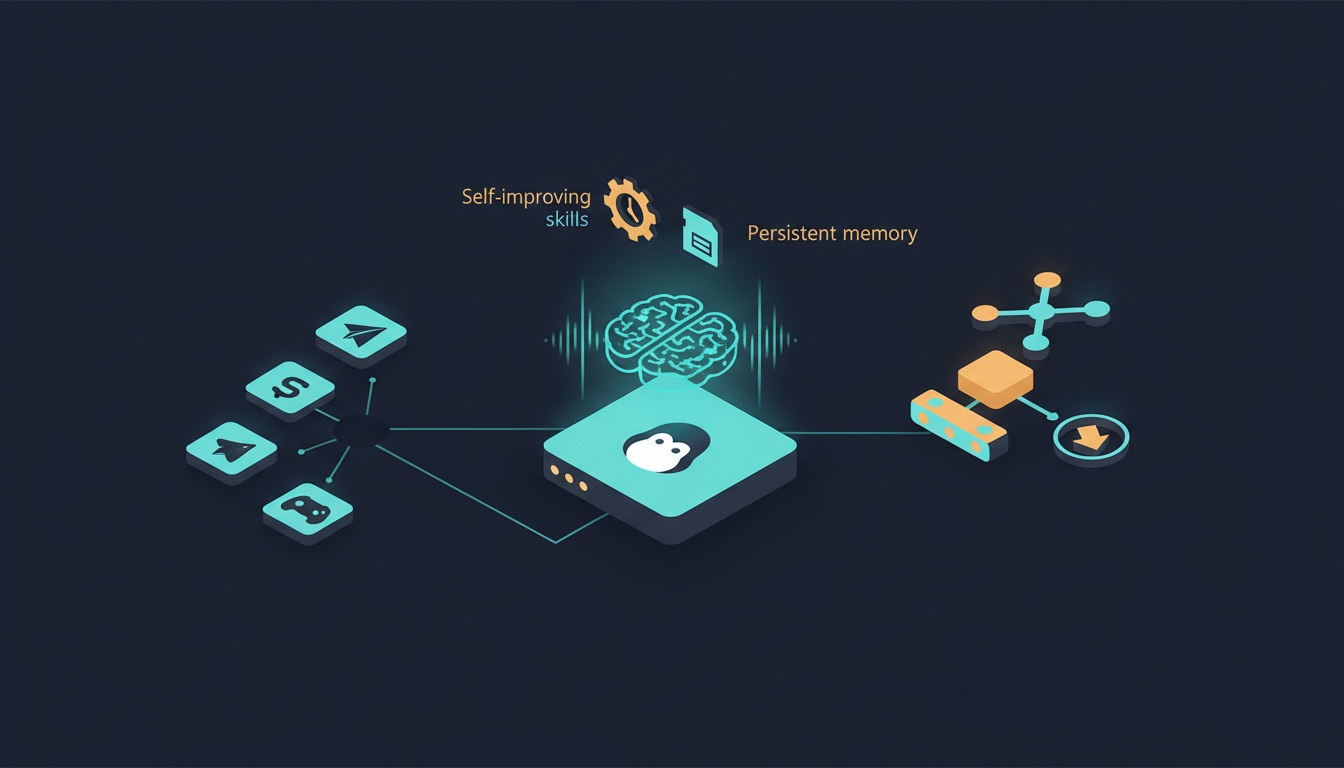
If you read our OpenClaw VPS deployment guide and walked away with a thin self-hosted gateway between your messaging apps and an LLM, you got exactly what OpenClaw is designed to be. Hermes Agent — Nous Research's open-source agent that hit v0.12 last week — sits in adjacent territory but answers a different question. Where OpenClaw asks how do I route messages to a model?, Hermes asks how do I run an agent that gets better at its job over time?
For agencies, that distinction matters. One Hermes instance per client, deployed to a small VPS, can accumulate skills, remember context across sessions, and handle scheduled work without you babysitting it. It fits squarely into the broader pattern we've been writing about — autonomous AI agents reshaping deployment workflows — except the agent lives on infrastructure you control rather than a third-party SaaS. The catch: you need a way to keep the configuration, persona files, and skill bundles in sync across however many client servers you run. That's where DeployHQ comes in. This post covers what Hermes Agent actually is, how it differs from OpenClaw, and how to deploy it on a VPS with a repeatable Git-driven workflow.
What Hermes Agent does
Hermes Agent is a Python project under MIT license that runs as a long-lived process on whatever infrastructure you give it. The architecture has three pieces worth understanding before you deploy it:
A skills system that grows. Skills are procedural memory the agent writes for itself. When Hermes solves a task — say, generating a weekly client report from your analytics — it can save that workflow as a skill and refine it on future runs. Skills are portable JSON-and-prompt artifacts you can share between agents via the agentskills.io hub, which means an agency running ten Hermes instances can develop a skill once and propagate it to every client. If you've already worked with OpenClaw's skills system, the conceptual model is similar — Hermes just adds the autonomous self-curation layer on top.
Persistent cross-session memory. Hermes uses the Honcho framework for user modeling and LLM-summarized recall. Conversations from yesterday inform how it responds today. The agent also performs periodic memory nudges — compacting and reorganizing what it knows so the context window doesn't bloat indefinitely. None of this works without a persistent volume on disk; we'll come back to that.
Multi-channel messaging from one process. Out of the box: Telegram, Discord, Slack, WhatsApp, Signal, Matrix, Mattermost, Email, and SMS, plus a TUI for direct terminal interaction. The agent runs once and exposes itself everywhere.
On top of these, Hermes is model-agnostic — Nous Portal, OpenRouter (200+ models), OpenAI, NVIDIA NIM, or any custom endpoint — and supports six terminal backends including Docker, SSH, Daytona, and Modal for distributed or serverless execution. A SOUL.md file in the repo defines the agent's personality and operating constraints, which is the file you'll customize per client.
Hermes Agent vs OpenClaw: when to pick which
Both projects target the same broad audience (developers who want a self-hosted alternative to ChatGPT subscriptions) but the runtime profile is genuinely different.
| OpenClaw | Hermes Agent | |
|---|---|---|
| Language | Node.js | Python |
| Process model | Single Node process | Containerised app + sidecar services |
| State | Stateless gateway | Persistent skills + memory |
| Min recommended VPS | 2GB / 1 vCPU | 8GB / 2 vCPU |
| Built-in tools | None — bring your own | 40+ |
| Scheduled tasks | External (cron) | Built-in scheduler |
| Multi-channel | Yes | Yes (15+ channels) |
| Best for | Thin chatbot front, BYO intelligence | Autonomous agents that learn |
The trade-off lines up neatly. OpenClaw is leaner — a 4GB VPS comfortably runs OpenClaw alongside other services, and you keep your model logic, memory, and tooling in your own application code. Hermes is heavier — Docker-friendly, with more state to persist and back up, but you get the learning loop, scheduler, and tool catalogue without writing them yourself.
For most agency scenarios — I want to give each client a smart assistant that learns their business
— Hermes wins. For projects where the agent is one component in a larger application you're already building, OpenClaw stays out of the way. If you've already deployed OpenClaw and want to keep it, Hermes can run alongside on the same VPS provided you have the RAM headroom. And if your real need is a chat front-end for self-hosted models rather than an autonomous agent, our LibreChat and Ollama VPS deploy guide covers a third path that doesn't pretend to be either.
Pre-flight checklist
Before touching the server:
- A VPS with Ubuntu 22.04 LTS or Debian 12, 8GB RAM, 2 vCPU, and at least 20GB SSD. Hetzner CPX22 (€19.49/month since the 15 June 2026 price adjustment, so no longer the clear budget pick it once was), DigitalOcean's $24 droplet, or equivalent.
- A domain name pointed at the VPS (Hermes itself doesn't need HTTPS, but messaging webhooks for Telegram and Slack do).
- An API key for at least one model provider. OpenRouter is the most flexible because you can swap models without redeploying.
- A Git repository (GitHub, GitLab, or Bitbucket) for your Hermes configuration. Don't put
.envfiles with real secrets in the repo — we'll handle those via DeployHQ environment variables. - A DeployHQ account. If you don't have one, sign up — the free tier covers a single project and is enough to follow along.
Step 1 — Server hardening
SSH in as root, create a non-root user, and lock the basics down:
adduser hermes
usermod -aG sudo hermes
ufw allow 22/tcp
ufw allow 443/tcp
ufw enable
Disable root SSH login and password auth in /etc/ssh/sshd_config, then reload. None of this is Hermes-specific — it's the baseline you should run on any server.
Step 2 — Install Docker
Hermes ships a docker-compose.yml and that's the path we recommend for production. We've covered the Docker container deployment pattern with DeployHQ in more depth before — the same pipeline applies here. Install Docker Engine and the Compose plugin from the official Docker repo (don't use Ubuntu's bundled docker.io package — it lags behind):
curl -fsSL https://get.docker.com | sh
usermod -aG docker hermes
Log out and back in as hermes so the group change takes effect. Verify with docker compose version.
Step 3 — Initial Hermes Agent install
Clone the repo and prepare the configuration:
cd /home/hermes
git clone https://github.com/NousResearch/hermes-agent.git
cd hermes-agent
cp .env.example .env
cp cli-config.yaml.example cli-config.yaml
Edit .env with your model provider key and any messaging tokens (Telegram bot token, Slack signing secret, etc.). Edit SOUL.md to define the agent's persona — for an agency client this might be You are a senior project manager for ClientName. You answer questions about their deployments, surface blocked items from the standup channel, and never speculate when you don't have data.
Bring it up:
docker compose up -d
docker compose logs -f
Watch the logs until you see the agent connect to your messaging channels. From here, the agent is alive — but every config change still requires SSH, which is exactly the operational footgun DeployHQ removes.
Step 4 — Move configuration into Git
Create a Git repo with this structure:
hermes-config/
├── SOUL.md
├── cli-config.yaml
├── skills/
│   ├── weekly-report.json
│   └── deploy-status-check.json
├── docker-compose.override.yml
└── deploy.sh
Note what's not in there: .env. Secrets stay in DeployHQ as environment variables and get written to disk during deploy. The docker-compose.override.yml lets you set production-specific values (volumes, restart policies, resource limits) without touching the upstream docker-compose.yml.
Push this to GitHub or GitLab. This is the repo DeployHQ will track.
Step 5 — DeployHQ project setup
In DeployHQ, create a new project and connect it to your config repo via GitHub or GitLab. Add your VPS as a server with the hermes user and SSH key.
Set the deployment path to /home/hermes/hermes-config. Add your secrets as DeployHQ environment variables — DeployHQ will write them as a .env file at deploy time:
In Build Pipeline (or as a deploy command), add:
cat > .env <<EOF
OPENROUTER_API_KEY=$OPENROUTER_API_KEY
TELEGRAM_BOT_TOKEN=$TELEGRAM_BOT_TOKEN
SLACK_SIGNING_SECRET=$SLACK_SIGNING_SECRET
EOF
Then add a post-deployment SSH command that copies the config into place and restarts the container:
cd /home/hermes/hermes-config
cp SOUL.md cli-config.yaml /home/hermes/hermes-agent/
cp -r skills/ /home/hermes/hermes-agent/
cd /home/hermes/hermes-agent
docker compose pull
docker compose up -d --remove-orphans
Wire up the auto-deploy webhook from your Git host. Now git push triggers a deploy: DeployHQ writes the latest config, pulls any updated container image, and restarts Hermes — no SSH session required. This is the build pipeline pattern that makes the whole thing reproducible.
Step 6 — Persistent data (this is the one most people miss)
Hermes' learning is worthless if it doesn't survive a container restart. In your docker-compose.override.yml:
services:
  hermes:
    volumes:
      - ./data:/app/data
      - ./memory:/app/memory
      - ./skills:/app/skills
    restart: unless-stopped
Back the data/ and memory/ directories up daily. restic to a Backblaze B2 bucket is the cheapest reliable option — about $0.005/GB/month. If your agent has been running for six months and you lose its memory, you've lost six months of accumulated context, which for a client-facing agent is genuinely painful.
The agency multi-tenant pattern
Here's where this stops being a single-server tutorial and starts paying for itself.
For an agency running Hermes for ten clients, you don't want ten copies of the same docker-compose.yml drifting apart. The pattern:
- One Git repo per client — different
SOUL.md, different model provider keys, different skills loadout. - One DeployHQ project per VPS — each pointed at its client's config repo.
- One shared
skills/Git submodule — common skills (calendar lookup, time-tracking exports, deployment status) developed once, pulled into every client's repo.
When you build a new skill for one client and it generalises, push it to the shared submodule, bump the submodule pointer in the other clients' repos, and DeployHQ rolls it out everywhere. No SSH-and-rsync rituals; no risk of one server lagging six months behind. This is the same operational pattern we documented for self-hosting Vaultwarden across client VPS infrastructure — once you have it dialled in for one self-hosted service, every additional service plugs into the same pipeline. It's also why agencies tend to prefer DeployHQ over hand-rolled CI scripts when they get past three or four servers — the for agencies plan exists for exactly this kind of fan-out.
Common gotchas
- Memory directory not mounted as a volume — every container restart wipes the agent's memory. Test by killing the container deliberately and confirming sessions persist.
- Forgetting
SOUL.md— Hermes will run with a generic persona, which is fine for testing but not what you want for a client deployment. - Free tier model rate limits — burst usage hits caps fast. OpenRouter's pay-as-you-go is the safety net.
- WhatsApp/Signal bridges aren't built in — they require separate bridge processes. The Telegram and Discord integrations are the easiest starting points.
.envaccidentally committed — use a pre-commit hook or DeployHQ's environment variables exclusively. Rotate any key that touched a public repo.
Where to go next
Hermes Agent is a heavier commitment than OpenClaw, but the autonomous skill curation and persistent memory are real differentiators if you want an agent that gets more useful over time rather than starting from zero on every conversation. For agencies running multiple clients, the Git-driven config pattern through DeployHQ is what makes ten Hermes instances tractable instead of ten independent operational headaches.
Start with one client repo before fanning out, watch how the agent's skills evolve over the first month, and only then start replicating the pattern across the rest of your client base. The Git-driven config workflow scales linearly; the operational complexity doesn't.
Got questions? Reach us at support@deployhq.com or on Twitter at @deployhq.