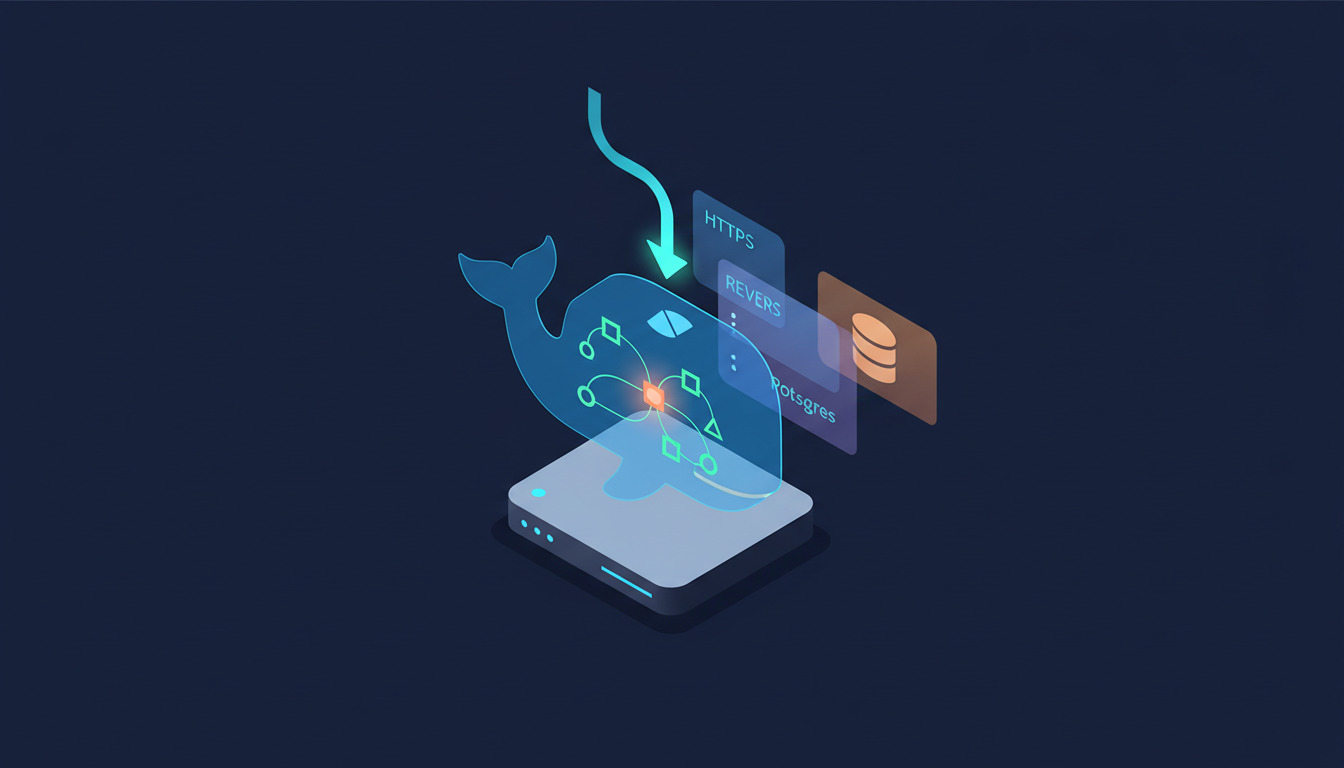
Most n8n self-hosting tutorials stop at docker compose up. That gets you a running instance, but it leaves a real gap: where do your workflows live? How do you upgrade without losing them? How do you roll back a bad change? Treat your n8n server like any other application — workflows in Git, infrastructure in Docker Compose, deploys triggered from main — and self-hosting becomes a maintainable habit instead of a fragile pet project.
This guide walks through standing up n8n on a single VPS with Docker, putting it behind HTTPS, and wiring it to a DeployHQ project so every change to your workflow repo updates the server. By the end you'll have a production-ready instance with backups, version control, and one-click rollback when something goes wrong.
What you'll build
- n8n running in Docker on a single Ubuntu VPS
- Postgres alongside it as the data store (not SQLite — more on that below)
- Nginx + Let's Encrypt in front for HTTPS on your own domain
- A Git repository that holds the
docker-compose.yml, environment template, and an exportable JSON copy of every workflow - DeployHQ wiring the repo to the server, so a
git pushtomainreconfigures the stack and re-imports workflows
By the end you'll be able to develop a workflow locally (or on a staging instance), export it, commit, push, and watch DeployHQ deploy the change with rollback available if it misbehaves.
Why self-host n8n at all?
n8n Cloud is good. So why bother with a VPS?
- Cost predictability. A $5-10/month VPS handles thousands of runs per day. Cloud pricing scales by execution.
- Data stays on your infrastructure. Webhooks, credentials, and execution logs never leave the box.
- Custom nodes. You can
npm installcommunity nodes the cloud version doesn't ship. - No execution limits. Long-running flows that hit cloud step caps just run.
The trade-off is operational ownership — you patch the OS, renew the certificate, watch the disk. Most of that is one-time setup. The rest of this guide is the one-time setup, done properly.
Prerequisites
- A VPS with Ubuntu 22.04 or 24.04 and SSH access — any of Hetzner, DigitalOcean, Vultr, Linode work fine
- A domain you control with an A record pointing at the VPS IP
- A DeployHQ account (free trial — sign-up link at the end)
- A GitHub or GitLab repository
- Docker installed locally for testing
Step 1: Provision the VPS
SSH in as root, install Docker, and set up a deploy user:
ssh root@your-vps-ip
curl -fsSL https://get.docker.com | sh

adduser deploy
usermod -aG docker deploy
mkdir -p /home/deploy/n8n
chown deploy:deploy /home/deploy/n8n
From your local machine, copy your SSH key to the deploy user:
ssh-copy-id deploy@your-vps-ip
Confirm passwordless login works:
ssh deploy@your-vps-ip "docker --version"
You should see the installed Docker version. That's the account DeployHQ will use.
Step 2: The n8n Docker Compose stack
In your local repo, create docker-compose.yml:
services:
  postgres:
    image: postgres:16-alpine
    restart: unless-stopped
    environment:
      POSTGRES_USER: ${POSTGRES_USER}
      POSTGRES_PASSWORD: ${POSTGRES_PASSWORD}
      POSTGRES_DB: ${POSTGRES_DB}
    volumes:
      - postgres_data:/var/lib/postgresql/data
    healthcheck:
      test: ["CMD-SHELL", "pg_isready -U ${POSTGRES_USER} -d ${POSTGRES_DB}"]
      interval: 10s
      timeout: 5s
      retries: 5

  n8n:
    image: n8nio/n8n:1.74.0   # pin to a specific tag — don't use :latest in prod
    restart: unless-stopped
    depends_on:
      postgres:
        condition: service_healthy
    ports:
      - "127.0.0.1:5678:5678"   # localhost only — Nginx will proxy
    environment:
      DB_TYPE: postgresdb
      DB_POSTGRESDB_HOST: postgres
      DB_POSTGRESDB_PORT: 5432
      DB_POSTGRESDB_DATABASE: ${POSTGRES_DB}
      DB_POSTGRESDB_USER: ${POSTGRES_USER}
      DB_POSTGRESDB_PASSWORD: ${POSTGRES_PASSWORD}
      N8N_HOST: ${N8N_HOST}
      N8N_PROTOCOL: https
      N8N_PORT: 5678
      WEBHOOK_URL: https://${N8N_HOST}/
      GENERIC_TIMEZONE: ${TIMEZONE:-Europe/London}
      N8N_ENCRYPTION_KEY: ${N8N_ENCRYPTION_KEY}
    volumes:
      - n8n_data:/home/node/.n8n
      - ./workflows:/workflows:ro

volumes:
  postgres_data:
  n8n_data:
Four things matter here:
- Postgres, not SQLite. SQLite is fine for kicking the tires. For anything you care about, Postgres handles concurrent executions, backups, and growth without complaint.
N8N_ENCRYPTION_KEYis sacred. It encrypts the credentials n8n stores in the database. Change it and every credential breaks — you'll have to re-enter every API key, OAuth token, and SSH credential. Generate it once withopenssl rand -hex 32, store it in DeployHQ as a config file, and never lose it.WEBHOOK_URLmust be your public HTTPS URL. n8n bakes this into the URLs it gives webhook senders. If it's wrong, Stripe / GitHub / Slack will hit a dead address.- Port 5678 is bound to
127.0.0.1. Don't expose n8n directly to the internet — put it behind Nginx with TLS. Anyone hitting port 5678 from outside gets nothing.
Create .env.example to commit to the repo (without secrets):
POSTGRES_USER=n8n
POSTGRES_PASSWORD=
POSTGRES_DB=n8n
N8N_HOST=workflows.yourdomain.com
N8N_ENCRYPTION_KEY=
TIMEZONE=Europe/London
The real .env lives in DeployHQ's server config — never in the repo.
Step 3: Put Nginx in front with Let's Encrypt
On the VPS, install Nginx and Certbot:
sudo apt update
sudo apt install -y nginx certbot python3-certbot-nginx
Add a server block at /etc/nginx/sites-available/n8n:
server {
    server_name workflows.yourdomain.com;

    client_max_body_size 50M;

    location / {
        proxy_pass http://127.0.0.1:5678;
        proxy_http_version 1.1;
        proxy_set_header Upgrade $http_upgrade;
        proxy_set_header Connection 'upgrade';
        proxy_set_header Host $host;
        proxy_set_header X-Real-IP $remote_addr;
        proxy_set_header X-Forwarded-For $proxy_add_x_forwarded_for;
        proxy_set_header X-Forwarded-Proto $scheme;
        proxy_cache_bypass $http_upgrade;
        proxy_read_timeout 3600;     # long-running executions
        proxy_send_timeout 3600;
    }

    listen 80;
}
Enable it and run Certbot:
sudo ln -s /etc/nginx/sites-available/n8n /etc/nginx/sites-enabled/
sudo nginx -t && sudo systemctl reload nginx
sudo certbot --nginx -d workflows.yourdomain.com
The proxy_read_timeout 3600 is important. n8n executions can run for minutes when a workflow waits on an external API — without that, Nginx kills the connection and the run appears to fail.
Step 4: First run
Back on your local machine, commit the repo and push it to GitHub:
git init && git add . && git commit -m "Initial n8n stack"
git remote add origin git@github.com:you/n8n-stack.git
git push -u origin main
For the very first deploy, SSH into the VPS, copy the .env over (DeployHQ will manage it from here on), and bring the stack up manually:
ssh deploy@your-vps-ip
cd /home/deploy/n8n
# (DeployHQ will populate docker-compose.yml on first deploy — for now scp it manually)
docker compose up -d
Visit https://workflows.yourdomain.com, create the admin account, and you're live.
Step 5: Wire up Git-based deploys with DeployHQ
This is the part most n8n tutorials skip. In DeployHQ:
- Create a new project and point it at your repo. DeployHQ supports deploying directly from a GitHub repo to your server without you wiring webhooks by hand.
- Add the VPS as a server. Username
deploy, port 22, deployment path/home/deploy/n8n. Use the SSH key you authorised in Step 1. - Add the
.envas a config file. In the server's config-files section, create/home/deploy/n8n/.envand paste the real values (Postgres password,N8N_ENCRYPTION_KEY,N8N_HOST). DeployHQ writes this file before every deploy — your secrets stay out of Git. - Configure the deploy SSH command:
bash
cd /home/deploy/n8n && \
docker compose pull && \
docker compose up -d && \
docker compose exec -T n8n n8n import:workflow --input=/workflows/ --separate
This pulls any new n8n image version, recreates containers with the new Compose config, and re-imports every workflow JSON from the mounted/workflowsdirectory. - Enable auto-deploy on push to
main. Every merge now triggers a deploy.
Push a no-op change to trigger the first run. Watch the DeployHQ log — you'll see the repo transferred, the env file written, the SSH commands executed. The site shouldn't blink: docker compose up -d only recreates containers if something actually changed.
If a deploy ever breaks something, DeployHQ's one-click rollback restores the previous repo state and re-runs the deploy command — a single button, no manual Compose juggling.
Step 6: Workflows as code
This is the payoff for everything above. Instead of the workflow is whatever I last clicked in the UI,
your repo becomes the source of truth.
The flow:
- Develop locally or on a staging instance. A spare n8n container on your laptop works fine.
- Export the workflow. In the n8n UI: open the workflow → menu →
Download
→ save the JSON toworkflows/your-workflow-name.jsonin your repo. - Commit and push.
bash git add workflows/your-workflow-name.json git commit -m "Add: Slack-to-Sheets sync workflow" git push - DeployHQ deploys. The deploy command runs
n8n import:workflow --input=/workflows/ --separate, which upserts the workflow into the database. Existing workflows with the same ID are updated; new ones are created.
A few practical notes:
- One JSON file per workflow. The
--separateflag tells n8n's importer to treat each file independently. Easier diffs in PRs. - Credentials are not in the JSON. n8n stores them encrypted in the database, referenced by ID. Set up credentials once in the UI; the workflow JSON just references them. This is why
N8N_ENCRYPTION_KEYmatters — drop it and the references become unusable. - The UI is now read-only in your head. Anyone making changes in production goes back to staging, exports, commits. Drift kills you otherwise.
The same Compose pattern works for sidecar services — drop a Python agent or a Postgres backup container into the same docker-compose.yml, and DeployHQ deploys all of it together.
Step 7: Upgrade n8n safely
n8n releases often. The temptation is to use n8nio/n8n:latest and let it ride. Don't.
With a pinned tag, upgrading becomes a one-line PR:
-    image: n8nio/n8n:1.74.0
+    image: n8nio/n8n:1.78.0
Push, DeployHQ deploys, the new image is pulled, the container recreated. If anything misbehaves, hit rollback and the previous tag is back in seconds. You get a git history of every n8n version that has ever run in production — handy when a workflow stops working and you need to find what changed.
Two upgrade hygiene tips:
- Read the changelog before bumping a major. n8n occasionally deprecates nodes or changes execution semantics.
- Snapshot Postgres before a major. A
docker compose exec postgres pg_dump ...to a file in a backup directory takes seconds and saves hours.
For deploys in general, DeployHQ runs zero downtime deployments by default — when you eventually move to a multi-server setup, the rollout pattern stays the same.
Step 8: Backups
Two things to back up:
The Postgres database. Everything important — workflows, credentials, execution history — lives here.
docker compose exec -T postgres \
  pg_dump -U n8n -d n8n --no-owner --clean \
  > backup-$(date +%F).sql
Drop a small script in your repo at scripts/backup.sh that runs this and uploads the file to S3 (or B2, or any object store). Cron it nightly on the VPS.
The n8n_data volume. Holds binary attachments and custom nodes. Tar it once a week to the same store:
docker run --rm -v n8n_n8n_data:/data -v $PWD:/backup alpine \
  tar czf /backup/n8n-data-$(date +%F).tar.gz -C /data .
The workflows themselves are already in Git, so you don't need to back those up — that's the whole point of the workflows-as-code pattern.
Where to go from here
The pillar above gets you a single-node, production-ready n8n instance with version control and rollback. From here:
- Drop a custom AI service next to n8n. The same
docker-compose.ymlhandles a sidecar Python or Node service — expose it athttp://agent:8000and have any n8n workflow hit it as a webhook. Same VPS, same deploy pipeline, no extra infrastructure. - Compare with other self-hosted agent platforms. If n8n's node-based model isn't the right fit, look at alternatives covered on the blog: Paperclip as a self-hosted agent orchestrator, OpenClaw as a self-hosted AI assistant with a Skills plugin system, and Hermes Agent for self-improving agents on a VPS.
- Run agents inside CI/CD. For a different shape of the same problem — agents that act on your repository — see how AI agents fit into CI/CD pipelines from GitHub issue to production deploy.
- Drive deploys from a terminal agent. If you want Claude Code, Cursor, or Codex to trigger n8n redeploys for you, the DeployHQ CLI exposes a deployment trigger your AI agent can call.
Ready to put n8n on infrastructure you control, with a Git-driven deploy pipeline behind it? Start a free DeployHQ trial and wire your first push-to-deploy n8n stack in under twenty minutes.
Questions? Email us at support@deployhq.com or find us on X at @deployhq.